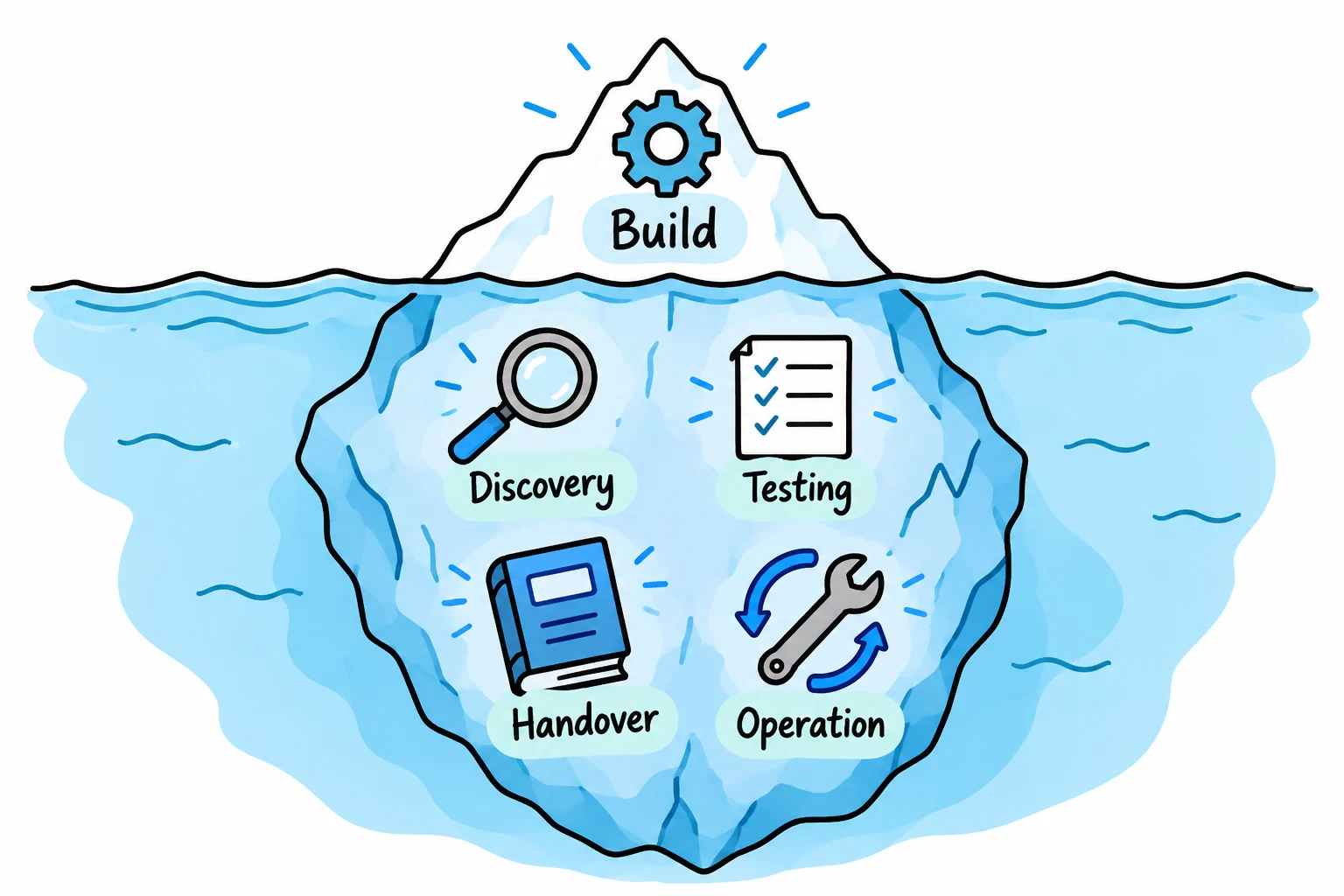
Workflow automation cost depends on the process boundary, the systems involved and the decisions and exceptions the solution must handle. A useful estimate also covers testing, handover and ongoing operation.
The phrase “connect our CRM to accounting” can describe very different projects. Before comparing prices, agree what starts the handoff, what counts as a successful result and who will deal with an uncertain or failed action.
A clear scope also makes it easier to decide which improvements need software and which can be introduced through changes to the process.
Define an outcome a provider can estimate
Describe the work in plain language. Name the trigger, required inputs, destination and finishing condition. Include what should stay manual and the decisions that require approval.
For example:
When a verified customer is approved, create or link its accounting record, return the confirmed identifier and assign any unresolved match to finance.
That statement exposes decisions a short feature list can hide. Does “verified” already exist as a reliable status? Can the systems store each other's identifiers? Is the review queue part of the project or another team's responsibility?
Provide recent examples, including one that failed. Replace private customer data with representative test information before sharing it for scoping.
Compare two scopes with the same headline
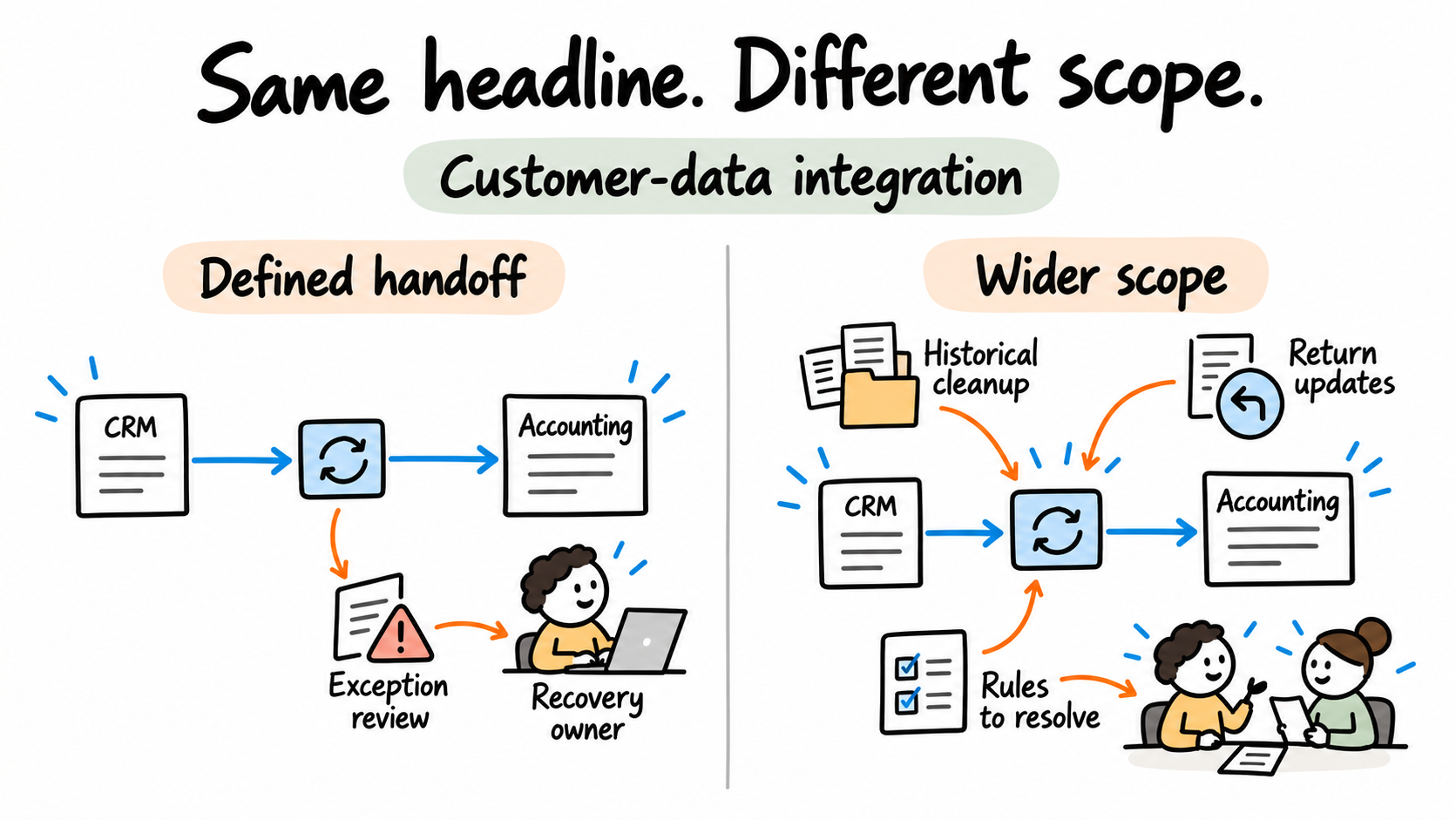
Illustrative scope comparison: both projects are called “customer-data integration”. No prices, delivery times or client results are implied.
| Dimension | Scope A | Scope B |
|---|---|---|
| Records | New approved customers only | New records plus correction of historical duplicates |
| Data direction | Defined fields in one direction | Different field owners and approved return updates |
| Interfaces | Required actions verified through approved APIs | Some required actions still need interface investigation |
| Decisions | Agreed matching and exception route | Ownership and identity rules still disputed |
| Operation | Known reviewer and support arrangement | Review ownership and operational requirements need definition |
Scope B contains additional analysis, cleanup and operating decisions. Counting connector names or workflow boxes will not show all that work. A smaller scope can still need thorough failure handling and acceptance testing.
The editable scope comparison makes those differences visible. Use it to compare inclusions before deciding whether two proposals price the same outcome.
Identify the work required before a build
Some uncertainty can be resolved by inspecting existing documentation or testing an approved interface. Other uncertainty requires the business owner to decide a rule.
Keep those activities separate in the scope. A provider cannot implement a stable approval route while the spending policy is still being negotiated. Likewise, assuming a connector supports every required action can shift a technical investigation into the build.
Agree how unresolved questions will affect the estimate. A discovery phase may be useful where important dependencies are unknown. Its deliverables should be specific enough to help you decide the next step, such as an agreed process boundary, field map, technical findings and implementation scope.
Ask what implementation includes
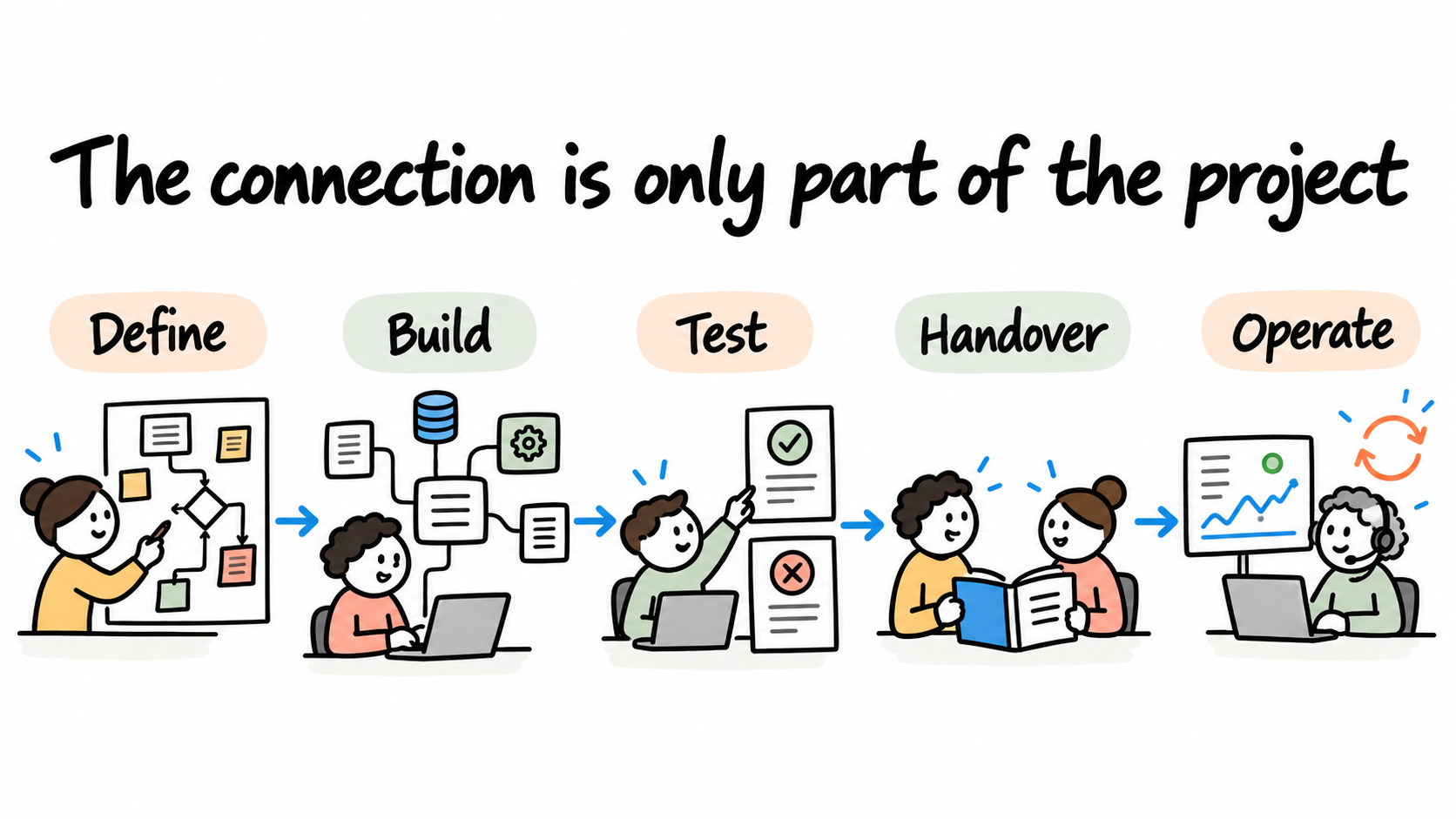
An implementation proposal should make the acceptance criteria understandable. “The workflow runs” is less useful than an agreed outcome for a new record, a repeated trigger, an ambiguous match and a failed update.
Check that the proposed scope addresses the necessary areas:
- Process rules, field ownership and system mappings.
- Access setup, integrations and exception handling.
- Representative testing and the agreed acceptance decision.
- Operating documentation, handover and support responsibilities.
The exact deliverables should fit the project. A business user form, historical data cleanup or migration may need separate scope. The data-entry guide gives concrete test cases for a customer-record handoff.
Separate setup from running costs
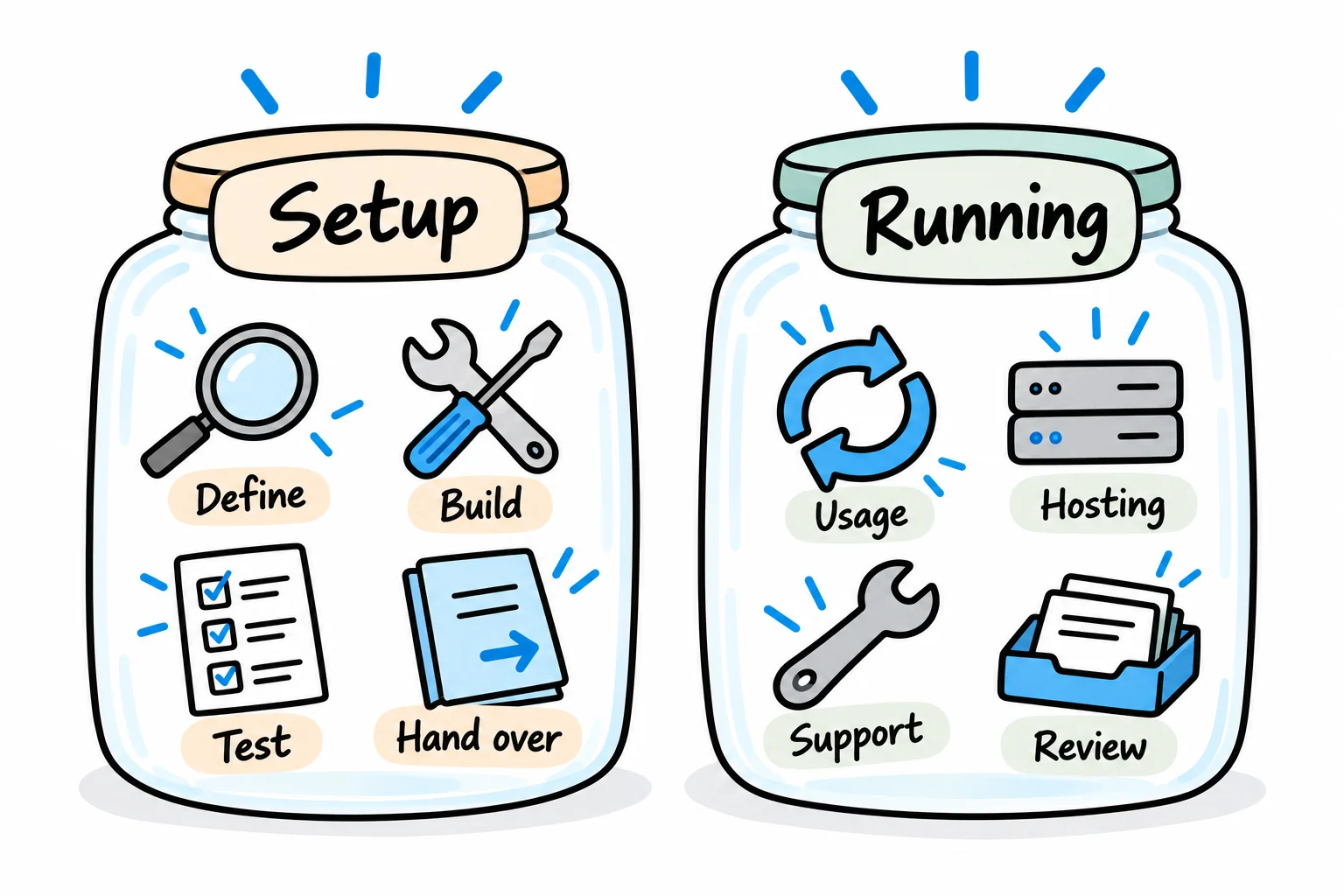
Implementation effort is only one part of the decision. Ask who will pay for platform subscriptions, usage, hosting and any external services the workflow needs.
Then describe how the organisation will operate it. Someone needs to review exceptions, monitor failures, maintain access and assess changes to the connected systems. Self-hosting also creates infrastructure responsibilities; a managed service still needs an internal owner.
Usage assumptions should reflect the selected platform's billing model. For example, n8n's pricing describes workflow-execution allowances, while Microsoft's Power Automate licensing documentation distinguishes user and capacity licensing. Check the required edition and entitlements for the actual design. A monthly case count alone is not a complete licence estimate.
Keep internal staff effort visible. Interviews, data preparation, testing and learning the support process take time even when they are not on the supplier's invoice. The ROI guide shows how to keep that effort from being counted twice.
Prepare a brief that makes proposals comparable
Use the project scoping brief to capture the current process, intended outcome, volumes, systems, exceptions and owner. Mark unknowns explicitly, and ask each provider to state their assumptions and exclusions against the same brief.
Confirm who owns the accounts, workflow configuration and documentation after delivery. Agree how changes are requested and how ongoing support is arranged. Commercial terms, fees and delivery dates belong in the actual proposal rather than being inferred from a generic blog example.
Our business improvement and solution delivery work uses that brief to connect the intended outcome with the work required. Commercial terms depend on the agreed scope; the examples in this guide do not set a package, fixed fee or delivery date.
Discuss the workflow before selecting a package
We connect the capability you need with a defined implementation, from requirements and solution design through delivery. We work through the required decisions, system dependencies and acceptance criteria so you can assess what the proposal will deliver.
We can then implement the agreed process change, tool or integration through testing and handover. Bring one repeated process and a recent example of the problem; we can identify the investigation needed before agreeing scope and commercial terms.
See how we scope, build and test automation, or explore our broader business improvement and solution delivery services.
Discuss your workflow and project scope with Solvero.
About the author
Jateen Narsai is an IT professional with over 15 years’ experience in business and systems analysis, process improvement and software solution design. His work includes customer onboarding, approval workflows and reporting automation. He works across requirements, solution documentation, testing and implementation support, with a focus on reducing manual effort and making systems easier to use.