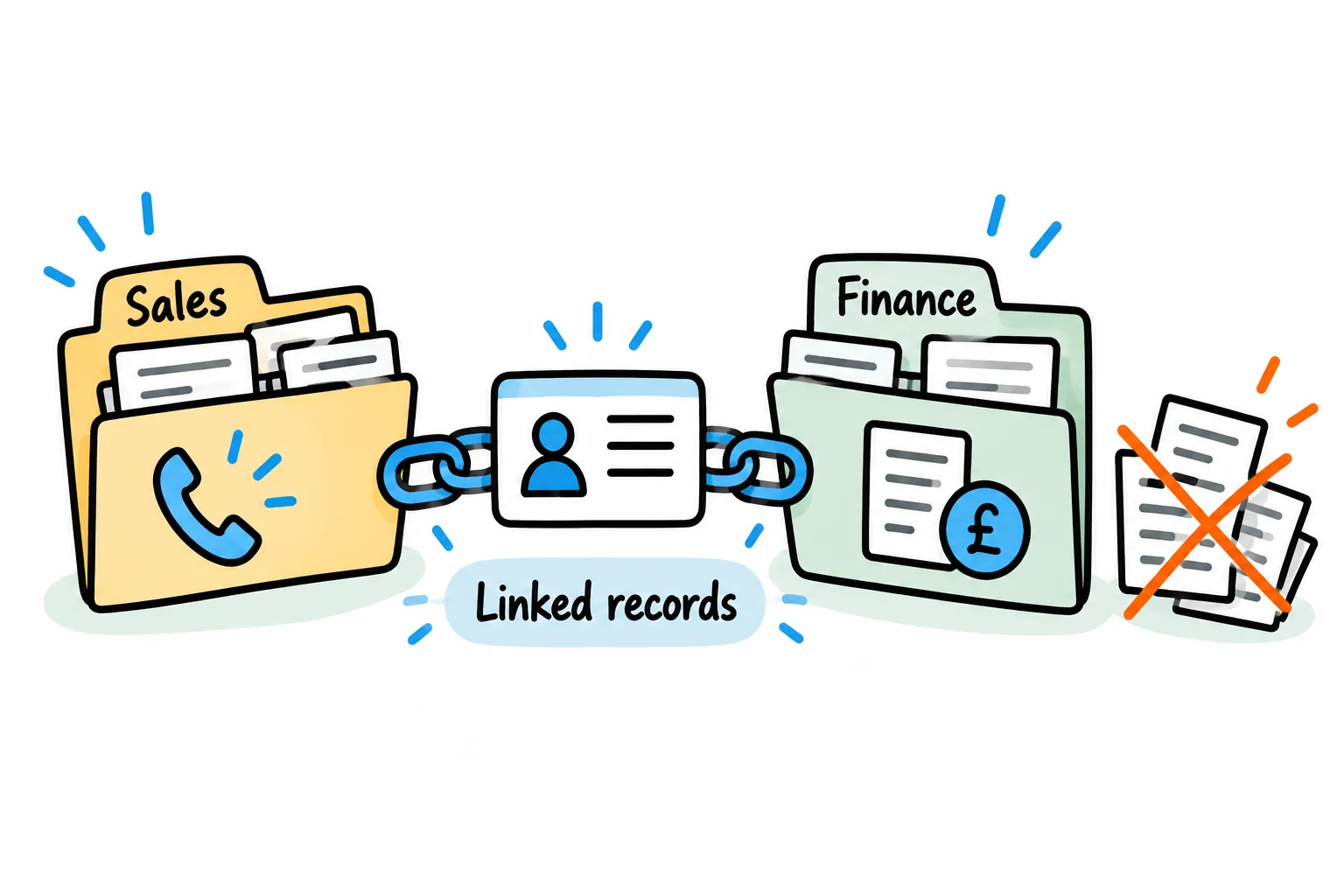
To reduce duplicate data entry, define which system owns each field, agree how records will be matched, and automate a specific handoff. Include a way to detect failed or uncertain updates. Connecting two applications helps only when both agree which customer and which information an update refers to.
Start with one repeated task, such as creating a billing record after a customer is approved. Expanding to every customer field and both directions at once makes ownership conflicts harder to resolve.
A useful integration removes work from the whole handoff, including the checks and corrections people currently perform.
Find the repeated capture
Follow several customer records from sales approval to billing. Note who enters each field, which information is checked and what corrections happen later.
A repeated entry may serve a purpose. Finance may verify the billing identity or approve payment terms before an account can be used. Preserve that decision while removing the unnecessary copying around it.
Distinguish the customer account from its contacts, delivery locations and billing entities. One trading relationship can involve several of each. Treating them as a single record can create errors even when the integration runs successfully.
Define a starting scope such as:
An approved customer account in the CRM creates or updates the corresponding billing account. Finance retains ownership of verified billing details and payment terms.
Assign ownership at field level
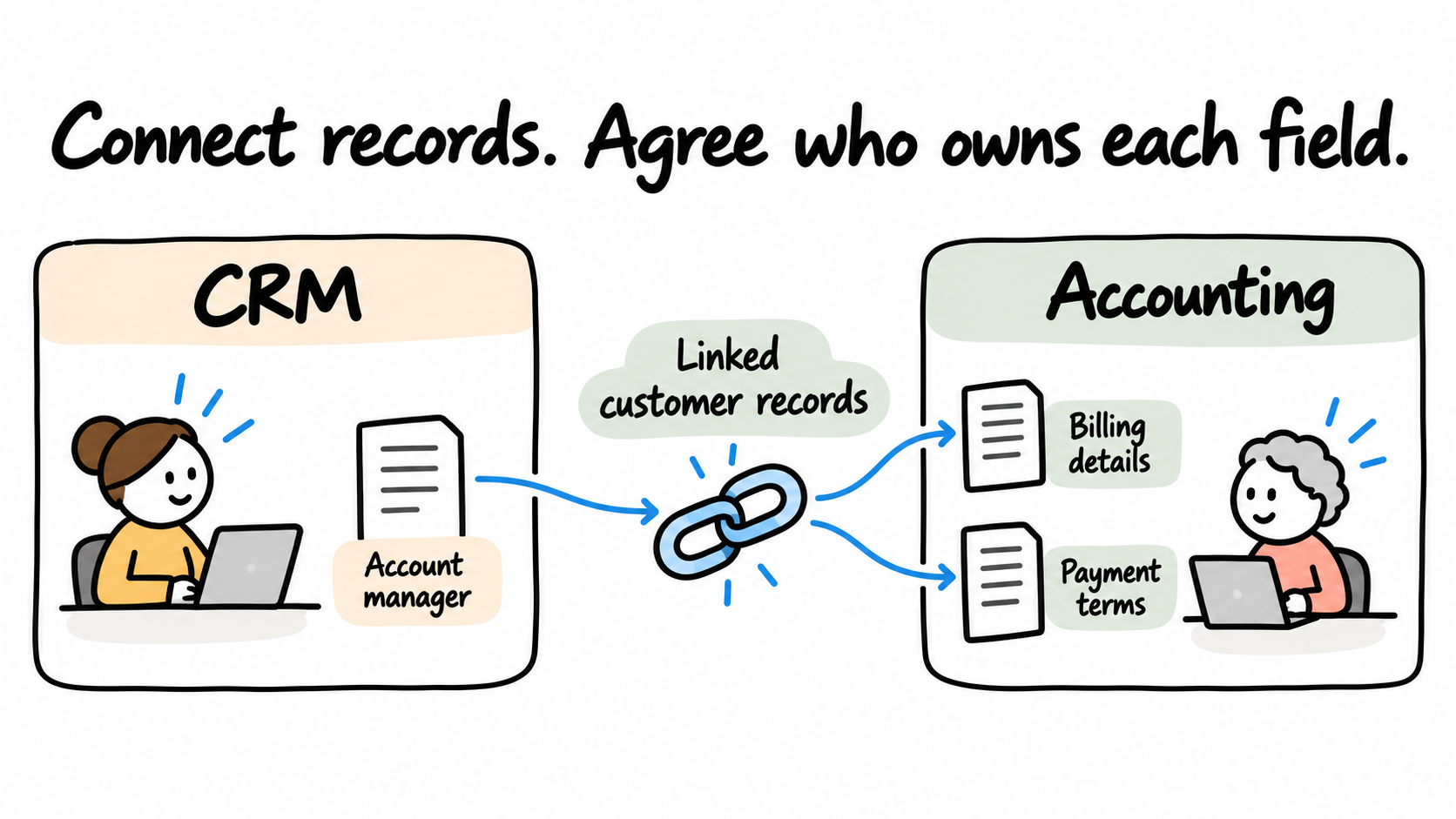
“The CRM is the source of truth” leaves too much unspecified. Sales may own the account manager while finance owns payment terms. Name the owner of each field and decide which edits are allowed to travel between systems.
The following is an illustrative mapping, not a configuration for a particular platform.
| Information | Owner after handoff | Handoff rule |
|---|---|---|
| Trading name | Sales, in CRM | Update the destination's designated trading-name field where supported |
| Legal billing name | Finance, in accounting | CRM supplies a proposed value initially; finance verifies later corrections |
| Invoice address | Finance, in accounting | Validate the initial value; return approved changes only to a designated CRM field |
| Account manager | Sales, in CRM | Share only where there is an agreed business use and compatible field |
| Payment terms and credit status | Finance, in accounting | Expose an approved status to CRM users where appropriate; CRM edits cannot overwrite it |
For each row, document required fields, permitted values and what happens when a value is blank. Clearing an optional field is different from accidentally receiving an empty value. Decide whether that event clears, preserves or rejects the destination value.
Use the editable field-ownership map to record these decisions before configuring a sync.
Match records using an explicit relationship
After the first confirmed handoff, store a cross-reference between the two systems' record identifiers. Include the system, account or tenant, and record type so the identifiers retain their meaning.
In a fictional example, CRM customer C-1042 is linked to accounting customer A-778. Later changes use that established relationship. These are explanatory labels, not valid API identifiers for a named product.
For a customer without a cross-reference, define a controlled matching process:
- No match: create a record only when the agreed checks permit it.
- One verified match: link the existing record and retain its identifier.
- Multiple plausible matches: send the case for review before writing.
Names and shared email addresses can be ambiguous. Decide which evidence establishes the billing entity rather than silently choosing the first search result.
Platforms have their own matching behaviour. For example, HubSpot documents record IDs and other unique identifiers for imports. That is an import-specific capability; an ongoing integration still needs its own documented matching and ownership rules.
Design for a repeated event
An integration can receive the same event twice. A user can also retry a task because the first response did not arrive. The intended business action should produce one result when it is repeated.
This is commonly called idempotency. For a customer-creation handoff, keep a stored reference for the intended action and its outcome that survives a failed run. Use a platform's documented idempotency mechanism where the relevant endpoint supports it, alongside a record of events the workflow has already processed.
An update to the same customer may be a legitimate new action. Preserve the event or revision identity so the workflow can distinguish that update from a replay of an earlier request. Deal with concurrent events and out-of-order delivery explicitly; an older address must not overwrite an approved newer one.
Handle uncertainty before retrying
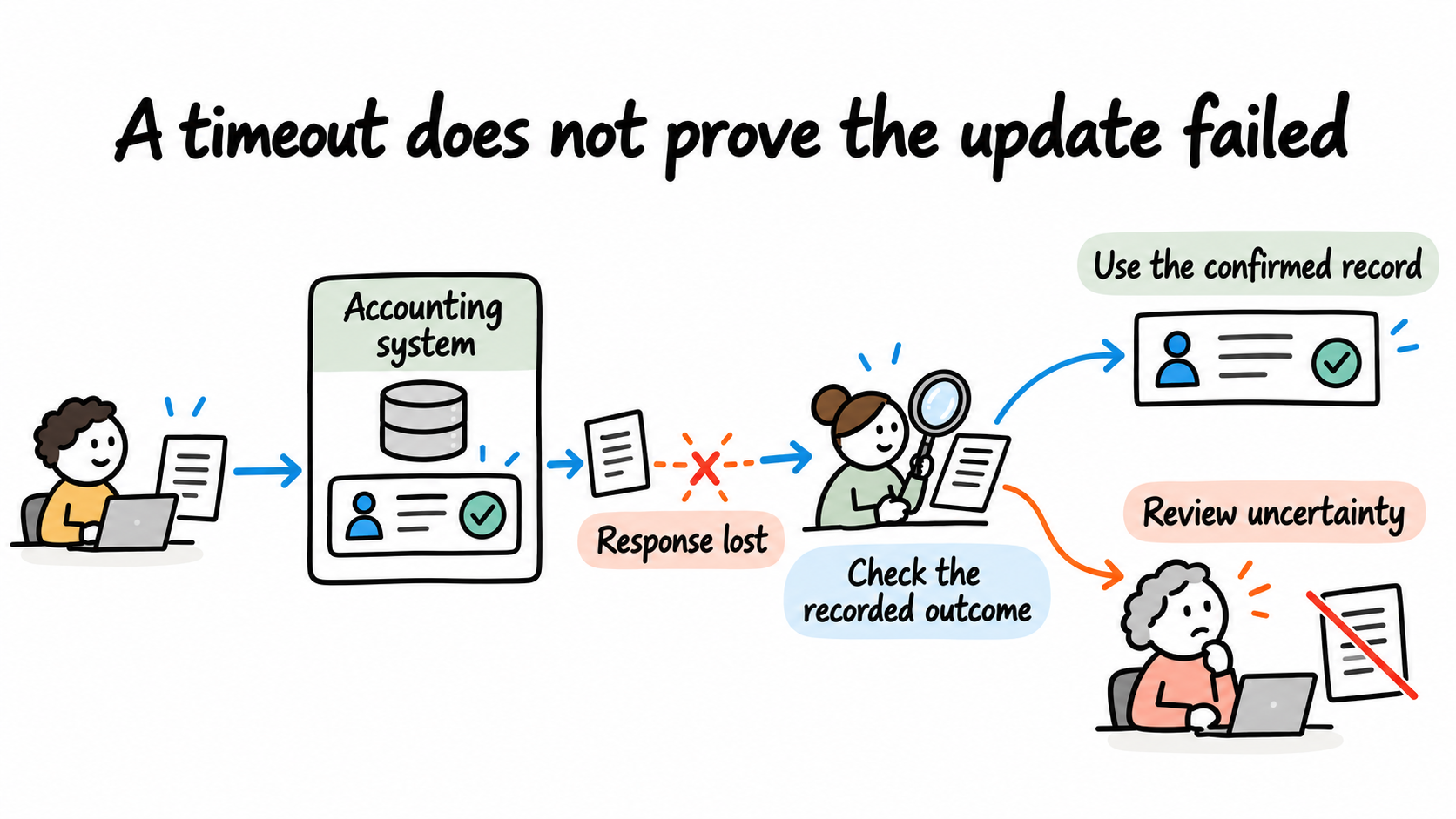
Consider a timeout immediately after creating a billing record. The accounting system may have completed the write even though the workflow never received confirmation.
Mark that case as uncertain. Reconcile the destination using the stored operation reference and supported lookup methods before attempting another create. If the result cannot be established safely, assign it for review. Repeating an unconfirmed create can produce the duplicate the integration was meant to prevent.
Give exceptions a visible status and owner. A useful review item contains the customer reference, intended action, failure reason and last known outcome. Limit the customer information in notifications to what the reviewer needs.
Test the handoff before extending it
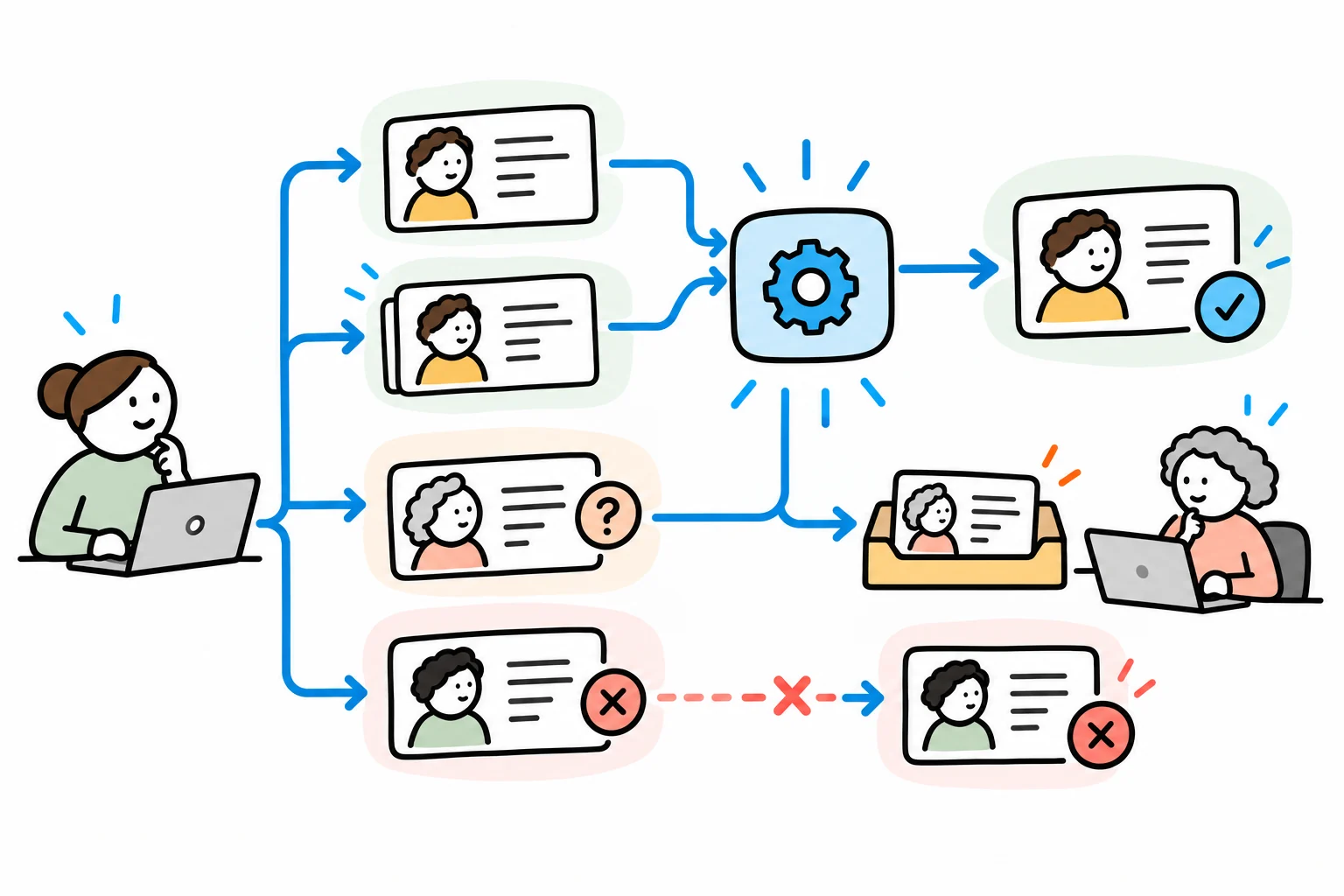
Use the acceptance checklist with representative test records. It describes expected outcomes; it is not evidence that a live connector has passed them.
| Scenario | Expected outcome |
|---|---|
| New approved customer | One destination account, with its identifier recorded |
| Same creation event delivered again | The original result is recognised; no second account |
| Several possible existing accounts | Review required; no automatic create or update |
| Timeout after a successful write | Reconciliation finds the outcome before another write |
| CRM tries to alter finance-owned terms | The change is blocked or reviewed under the agreed ownership rule |
Also test missing fields, expired access, cleared values and events arriving out of order. Confirm how the selected products, editions and permissions support each required action. A connector's existence does not establish that every necessary field or operation is supported.
Roll out the first handoff with reconciliation checks. Someone should be able to compare eligible source records with confirmed destination outcomes and see which cases need attention. Include support effort and corrections when measuring the reduction in manual handling.
Choose the handoff with the clearest value
If several repeated tasks compete for attention, use the automation scorecard to compare scope, readiness and effort. Where a customer change requires approval, define that decision using the approval workflow guide.
We help reduce repeated capture by examining the process around the data as well as the applications. We map where information is created and checked, agree ownership with the business and define the handoff that needs to change.
We can then build the agreed integration or adjust the workflow, test matching and exception cases, and hand over a process your team can operate. Bring the applications involved, the information entered twice and a recent example of a mismatch.
See how we reduce repeated work across your processes, or explore our broader business improvement and solution delivery services.
Discuss your repeated data entry with Solvero.
About the author
Jateen Narsai is an IT professional with over 15 years’ experience in business and systems analysis, process improvement and software solution design. His work includes customer onboarding, approval workflows and reporting automation. He works across requirements, solution documentation, testing and implementation support, with a focus on reducing manual effort and making systems easier to use.